WritersLock vs Day One: Which Journaling App Fits You?
Day One and WritersLock are both journaling apps, but they are built for different problems. Day One is a beautiful place to store a lifetime of entries. WritersLock is a tool for actually writing them, day after day, when you would rather scroll. If your notebook keeps ending up in a drawer, that distinction is the whole point.
The short version
Day One is a mature, feature-rich journal. It handles text, photos, video, audio, and location, syncs across every Apple device plus Android and web, encrypts your entries, and now includes AI features on its top tier. As a place to keep and revisit your writing, it is excellent.
WritersLock is a journaling app with one job the others do not do: it locks your distracting apps until you have written today's entry. It has fewer archival bells and whistles. What it has instead is enforcement, which is the thing most people are actually missing.
Side by side
| Feature | WritersLock | Day One |
|---|---|---|
| Core idea | Locks your apps until you write | A rich journal to write and store entries |
| Enforces the habit | Yes, apps stay locked until you write | No, relies on you remembering |
| Rich media (photos, video, audio) | Focused on writing | Extensive |
| Modes | Journal, gratitude, dream log, prompts | General journaling, daily prompts |
| Platforms | iPhone, Android | iPhone, iPad, Mac, Android, Web, Watch |
| Privacy | Entries never leave your device | End-to-end encryption |
| Free option | 3-day trial, then subscription | Free Basic tier |
| Price (2026) | $5.99/month or $29.99/year; 3-day trial | Free Basic tier; Silver $49.99/year; Gold $74.99/year |
Scroll the table sideways to see both columns →
 WritersLock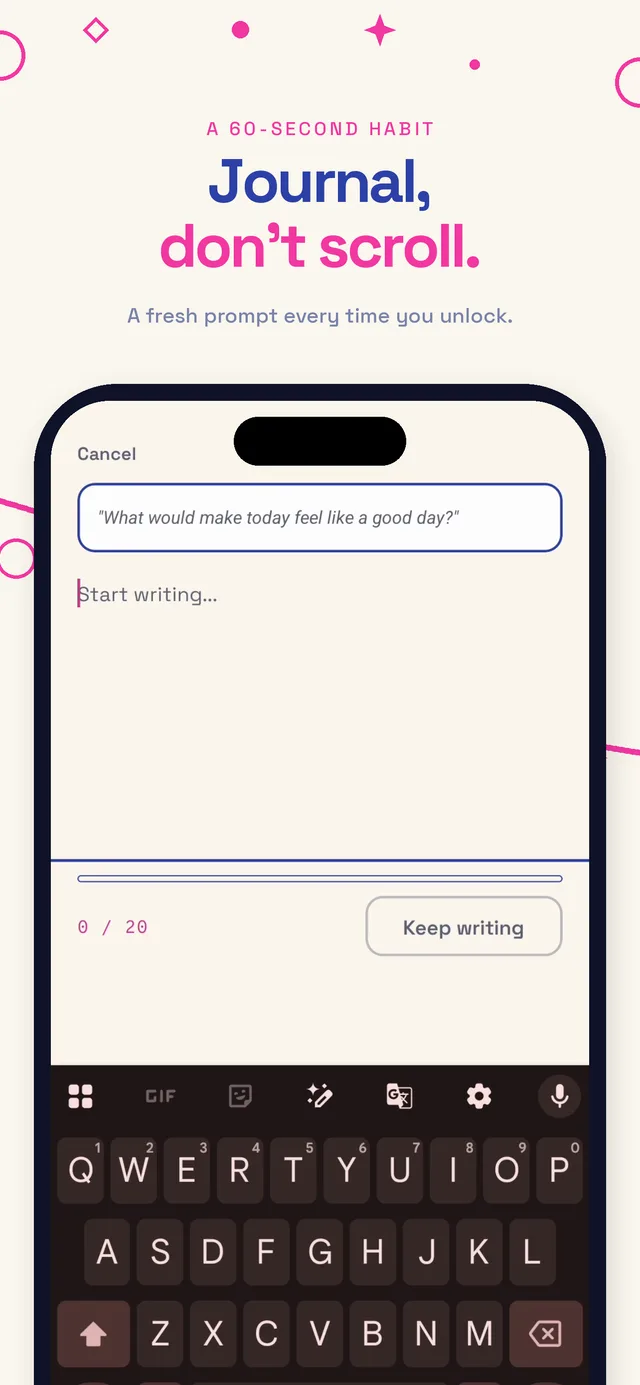
 Day One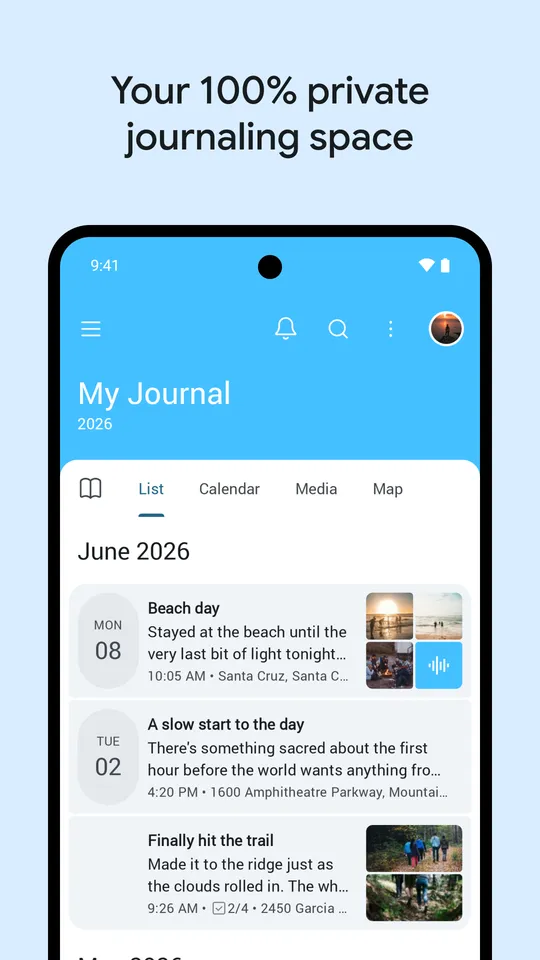
What Day One does well
Day One has been refined for over a decade and it shows. The free tier already gives you unlimited text entries, daily prompts, search, and end-to-end encryption. Paid tiers add rich media attachments, sync across all your devices, PDF scanning, and integrations, and the top tier layers in AI tools like entry summaries and prompts. If you want a permanent, searchable, media-rich archive of your life, few apps do it better.
The one thing Day One does not do is make you write. Like any journal, it waits for you to open it. For people who already have the habit, that is fine. For the many who do not, the app can be gorgeous and still go unused.
Where WritersLock is different
WritersLock starts from the assumption that the hard part is not storing entries, it is writing them at all. So it removes the moment of choice. At the times you set, your distracting apps lock, and the only way back to them is to write today's entry. The journal stops competing with the feed for your attention, because the feed is closed until the journal is done.
It keeps the writing side simple on purpose: a free journal, a gratitude log, a dream diary, and guided prompts, with a fresh prompt each morning for the days you feel stuck. That is enough to build the habit, which is what our guide on how to journal argues matters far more than features early on. Your entries stay on your device.
Which should you pick
Choose Day One if you already journal consistently and want the richest possible tool to write in and look back on, with photos, sync across every device, and a deep archive.
Choose WritersLock if the problem is sticking with it. If you have downloaded a journaling app before and stopped using it within two weeks, a nicer journal will not fix that. A lock that puts writing ahead of your feeds might.
There is also a case for using both: WritersLock to force the daily habit, Day One as the long-term archive you graduate into once writing every day feels normal. But if you can only keep one and consistency is your weak point, start with the app that makes you show up. Our page on the benefits of journaling is a good reminder of why that habit is worth protecting.
Comparing more tools? See WritersLock vs Opal, WritersLock vs Freedom, or the best apps to stop doomscrolling.
Stop downloading journals you never open
WritersLock locks your distracting apps until today's entry is written, so the habit happens whether or not you feel like it. Journal, gratitude, dream log, or a guided prompt, all kept on your device.
See how the habit sticksWrite first, scroll later
The journal that makes you show up.
WritersLock locks your distracting apps behind a daily writing entry, so the habit sticks instead of fading after two weeks.
Write your first entry