WritersLock vs Opal: Which Fits Your Goal?
Opal and WritersLock both stand between you and the apps that eat your day. The difference is what they want you to do instead. Opal wants you to spend less time on your screen. WritersLock wants you to write. That sounds like a small distinction, but it changes how each app feels to use.
The short version
Opal is a screen-time app with focus sessions, schedules, analytics, and a light layer of gamification. It is polished and popular, and it is strongest on iPhone and Mac.
WritersLock is a mobile journaling app that locks your chosen apps until you have written today's entry. The block is not the product. The writing habit is. If your real goal is to journal more and let that push out the scrolling, WritersLock is aimed at exactly that.
Side by side
| Feature | WritersLock | Opal |
|---|---|---|
| Core idea | Write to unlock your apps | Reduce screen time with focus sessions |
| Platforms | iPhone, Android | iPhone and Mac (Android is limited) |
| Unlock condition | Finish a journal entry | Wait out a session |
| Deep block (no early exit) | Standard: locked until you write | Deep Focus, on the paid plan |
| Analytics | Streak, words, 7-day view | Detailed pickups and usage reports |
| Builds a specific habit | Yes, journaling | No, focus time only |
| Free option | 3-day trial, then subscription | Free tier, paid Opal Pro |
| Price (2026) | $5.99/month or $29.99/year; 3-day trial | About $99.99/year, or $19.99/month |
Scroll the table sideways to see both columns →
 WritersLock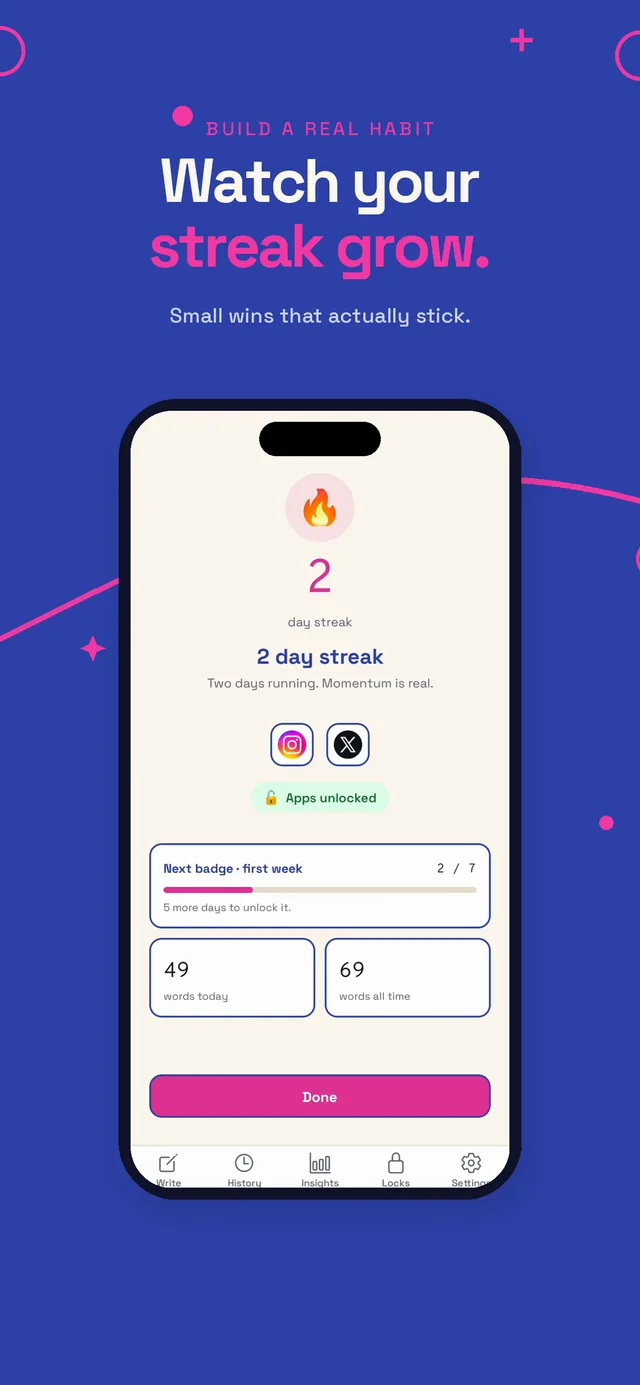
 Opal
Opal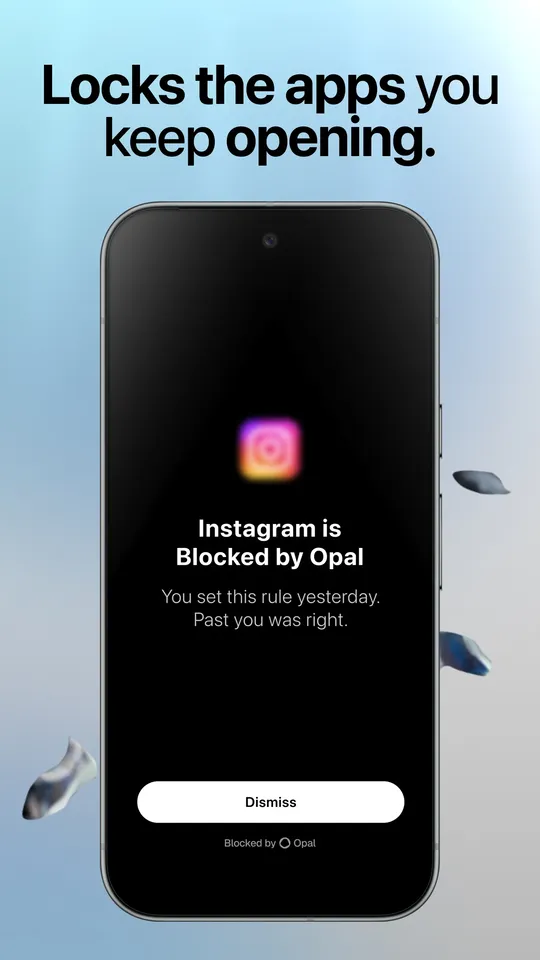
What Opal does well
Opal is a genuinely good screen-time app. Focus sessions let you block distracting apps for a set stretch, smart schedules build recurring routines, and the analytics are detailed: pickups, time in distracting versus productive apps, and a daily focus score. The gems, streaks, and leaderboard add a bit of motivation if that style works for you. On iPhone and Mac it is one of the most refined options out there.
If your goal is simply to see and cut your screen time, and you live in Apple's ecosystem, Opal is a strong choice.
Two things to know before you commit. Deep Focus, the mode you cannot end early, sits behind the paid plan, and Opal Pro runs about $99.99 a year, which is on the higher end. Its Android version is also more limited than the iPhone one, because Android does not give apps the same system-level screen-time controls Apple does.
Where WritersLock is different
Opal measures and reduces screen time. WritersLock replaces it with something specific. When your apps lock, the way out is not to wait, it is to write today's entry. That means every time the block does its job, you finish with a journal entry instead of just a closed app and an itch to reopen it.
This matters if your aim is a habit, not just less time on a screen. A focus session ends and leaves nothing behind. A WritersLock session ends with words on the page and a streak that grows. Over time the writing becomes the thing you do first, and the scrolling loses the fight on its own. Our page on the benefits of journaling covers what that habit actually does for stress, focus, and mood.
WritersLock locks only the apps you choose, works on both iPhone and Android, and keeps your entries on your device. At $5.99 a month or $29.99 a year, it is also priced well under Opal Pro, with a 3-day trial and no card required up front.
Which should you pick
Choose Opal if your goal is broad screen-time reduction, you want detailed usage analytics and a focus score, and you are mainly on iPhone and Mac.
Choose WritersLock if you specifically want to build a journaling or writing habit, you like the idea of earning your apps back by writing rather than waiting, and you want something that works the same on iPhone and Android without a premium price.
If reducing numbers on a dashboard is the point, Opal does that well. If you want those numbers to drop because you replaced scrolling with writing, WritersLock is built for that outcome.
Comparing more tools? See WritersLock vs Freedom, WritersLock vs Day One, or the best apps to stop doomscrolling.
Swap screen time for a writing habit
WritersLock locks the apps you choose until you've written today's entry, so every block ends with words on the page, not just a closed app. iPhone and Android, entries stay on your device.
See how WritersLock worksWrite first, scroll later
Make the numbers drop by writing.
WritersLock locks your distracting apps behind a daily writing habit, so less screen time is a side effect of a habit worth keeping.
Write your first entry