 WritersLock
Your dream diary
A dream journal app that catches dreams before they fade.
Dreams fade within minutes of waking. WritersLock's Dream Diary makes logging them your first move of the day. Your distracting apps stay locked until last night's dream is on the page.


Part of WritersLock, the app blocker built around a daily writing habit. Write first, scroll later.
The problem
The dream you'll forget by breakfast
You wake up with a vivid dream still fresh. Then you reach for your phone, the feed pulls you in, and ten minutes later it's gone. The window to capture a dream is tiny, and one notification is enough to close it.
A dream journaling app only works if you actually open it the moment you wake. WritersLock is built to make that happen.
How it works
How the Dream Diary works
By putting the dream entry before your feeds, you finally capture the dreams you used to lose.
your apps lock overnight
Set your writing time for just after you usually wake. The apps that distract you stay locked into the morning.
you log the dream first
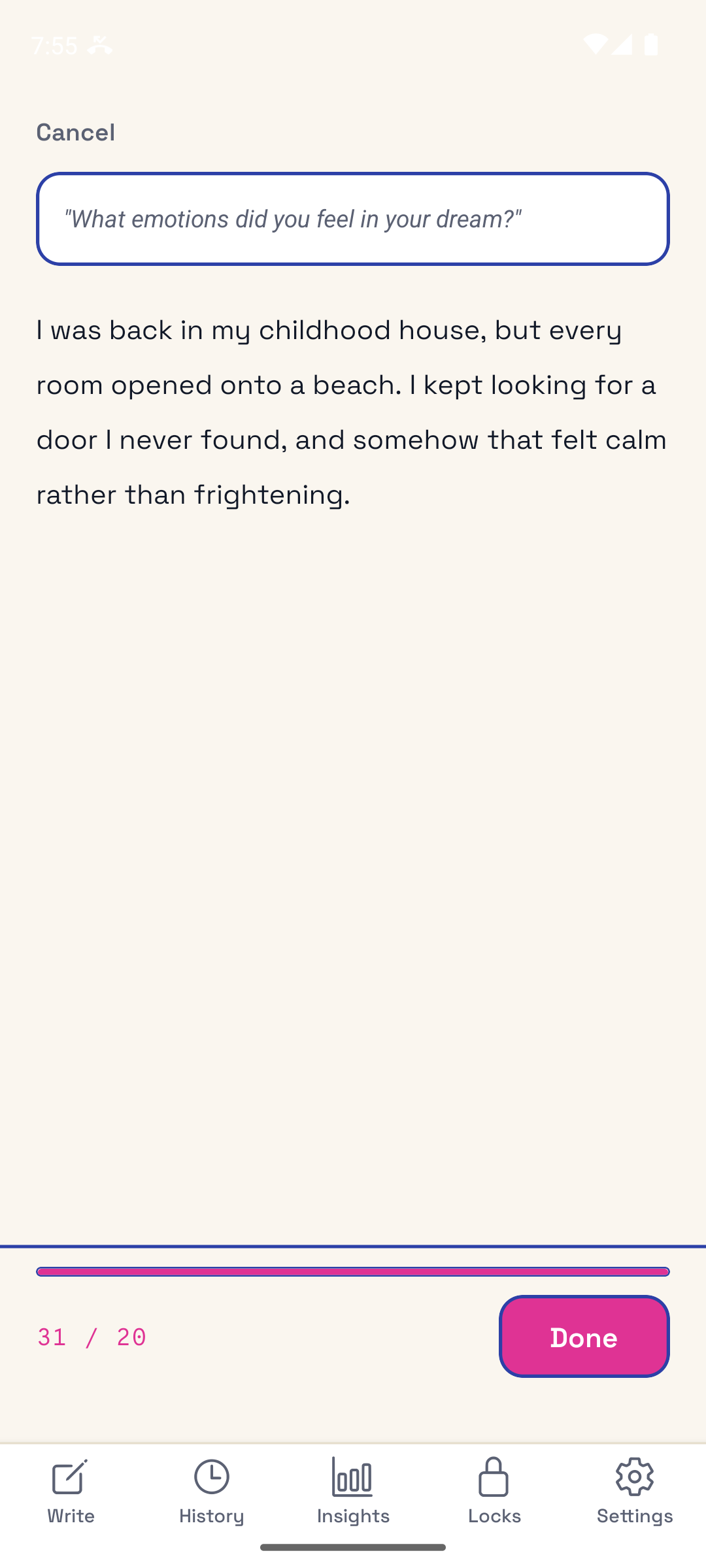
Open the Dream Diary and jot down what you remember before it fades: people, places, feelings, the strange parts. A gentle prompt helps if you're blank.
your apps unlock
The dream is saved, your streak grows, and your phone opens up for the rest of the day.
Features
Built for remembering more
For half-asleep mornings
A clean, simple entry screen for the foggy minutes right after waking. No fussing, just get it down.
When you're blank
Can't remember much? A dream prompt nudges the details loose. More in our dream journal prompts.
Spot what recurs
As entries build, recurring people, places, and themes start to surface across your dream log. Curious what a symbol tends to mean? Look it up in our dream dictionary, or describe the whole dream to the dream interpreter and let it find the symbols for you.
Private by design
Your entries are encrypted and never leave your device. We only ever see anonymous metadata like word count and streak, never what you wrote.
Great for lucid dreaming
A consistent dream journal is the foundation of lucid dreaming. The more you record, the more dream recall and awareness you build.
The best dream journal is the one you actually open.
WritersLock makes opening it before the day pulls you away the easy path.
The basics
What is a dream journal?
A dream journal (or dream diary) is a record of the dreams you remember, written down as soon as possible after waking. Keeping one improves dream recall over time, helps you notice recurring symbols and themes, and is the single most recommended practice for anyone learning to lucid dream. The catch is consistency: dreams fade fast, so the habit lives or dies on whether you write before you do anything else. WritersLock solves the consistency problem by locking your distractions until the entry is done.
Questions
Frequently asked questions
Is WritersLock a good dream journaling app?
It's built for the one thing that makes a dream journal work. You capture the dream immediately, before it fades. By locking your distracting apps until you've logged last night's dream, it removes the biggest reason people give up: getting pulled into their phone first.
Can it help with lucid dreaming?
Yes. Keeping a consistent dream journal is the foundational technique for lucid dreaming because it trains dream recall and awareness. WritersLock's lock-first approach helps you keep that practice daily.
What if I don't remember my dream?
Write whatever you do have: a feeling, a fragment, a single image. Or use a dream prompt to jog your memory. Recall improves the more consistently you journal.
Is my dream journal private?
Completely. Your entries stay on your device. WritersLock only ever sees anonymous metadata (word count, duration, streak). It never sees the content of what you write.
Ready?
Start tomorrow morning.
Tonight, set your writing time for just after you wake. Tomorrow, log the dream before you start scrolling, and build a dream diary that actually sticks.