 WritersLock
How to Stop Doomscrolling: A Science-Backed Guide
Why your brain craves doomscrolling, and 9 research-backed tactics that actually break the habit.
Write first. Scroll later.
WritersLock is a journaling app that locks your distracting apps until you've written today's entry. Beat the doomscroll and build a writing habit that sticks.


Trusted by 2,000+ writers
Choose which apps to lock and when, so the rest of your phone keeps working. Journal, gratitude log, dream diary, or a guided prompt: hit your goal and everything unlocks for the day. Works on iPhone and Android, private by design, your entries are encrypted and never leave your device, and there's a free 3-day trial.
My days start with clarity. I know what I want and I know how I feel.
Crystal S. · App Store
What a cool concept! … I actually forget about the app I was trying to open!
Ken Y. · Google Play
It's simple to use and I am in control. Feeling self-affirmed!
HFLye · App Store
The problem
The thoughts you keep meaning to jot down lose to the feed every morning. More willpower isn't the answer. What works is putting writing before scrolling, and making that the easy path.
How it works
A simple daily loop. Your distracting apps stay locked until you've written today's entry.
At the writing times you choose, the apps you picked lock themselves. The only way past them is to write today's entry.
Free journal, gratitude, dream log, or a guided prompt. Hit your word goal. Small, repeatable wins.
Once the words are down, your blocked apps open up for the rest of the day. The streak grows.
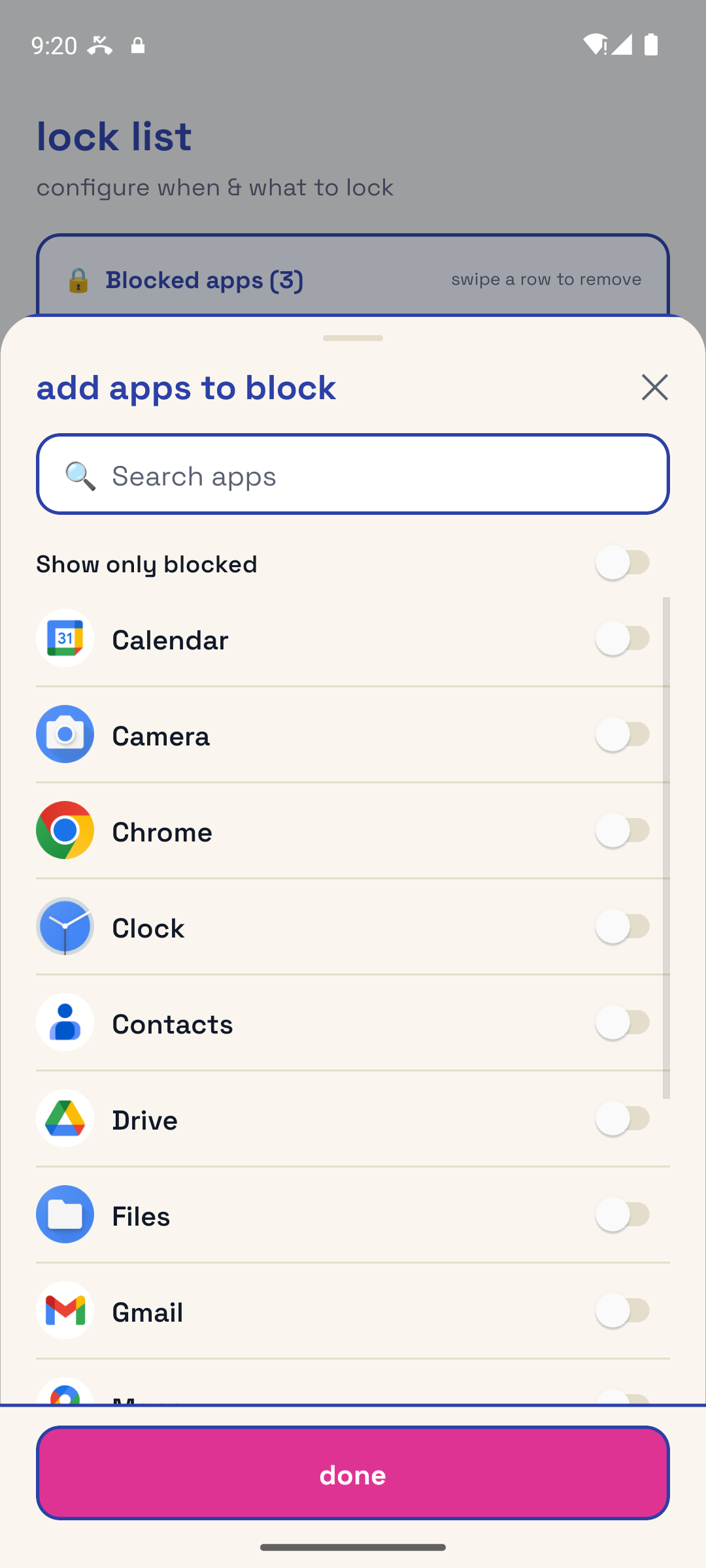
Not a whole-phone blackout. Pick the exact apps you doomscroll. They're the only ones that lock until you write, and everything else keeps working.
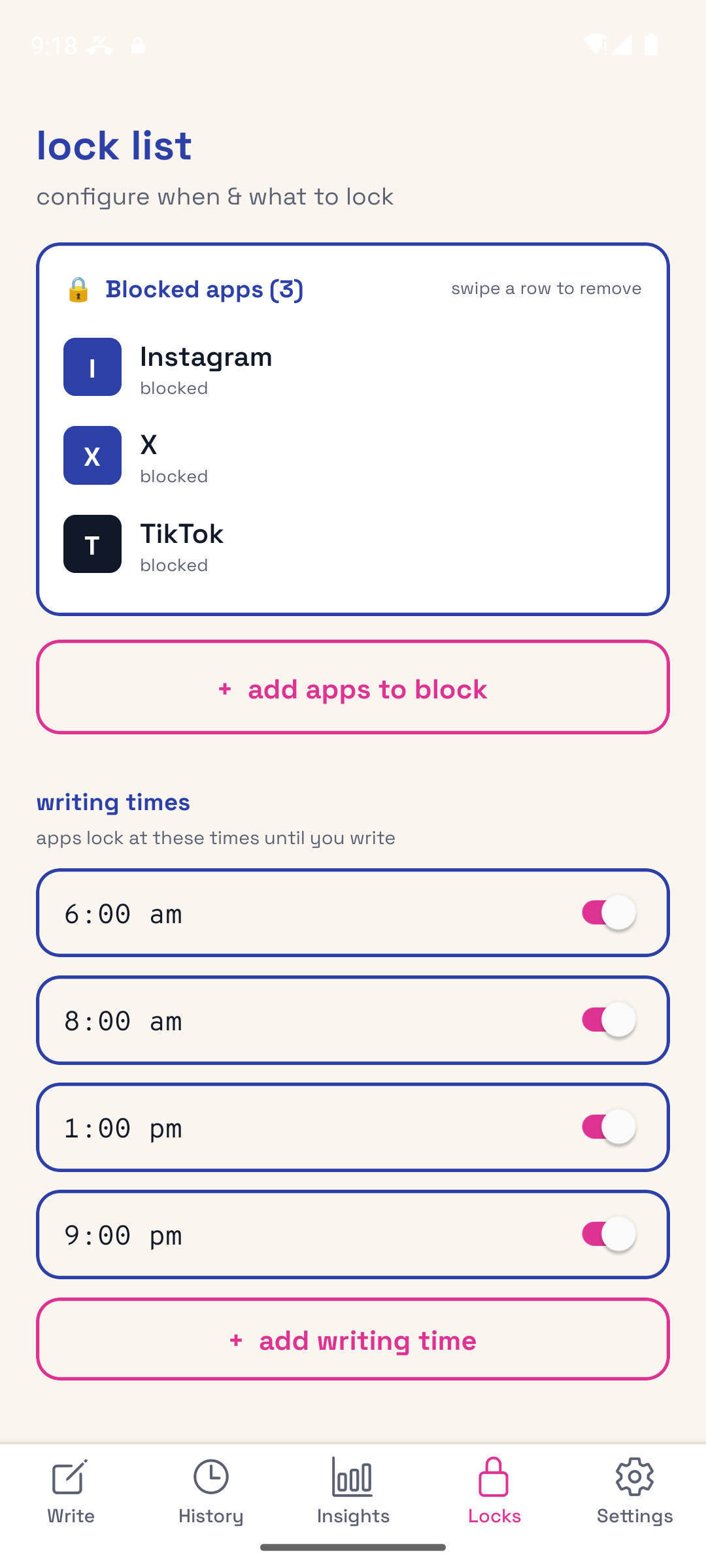
Set when the locks hold the line: morning, midday, night, or all three. They're waiting on the days you'd rather scroll than write.
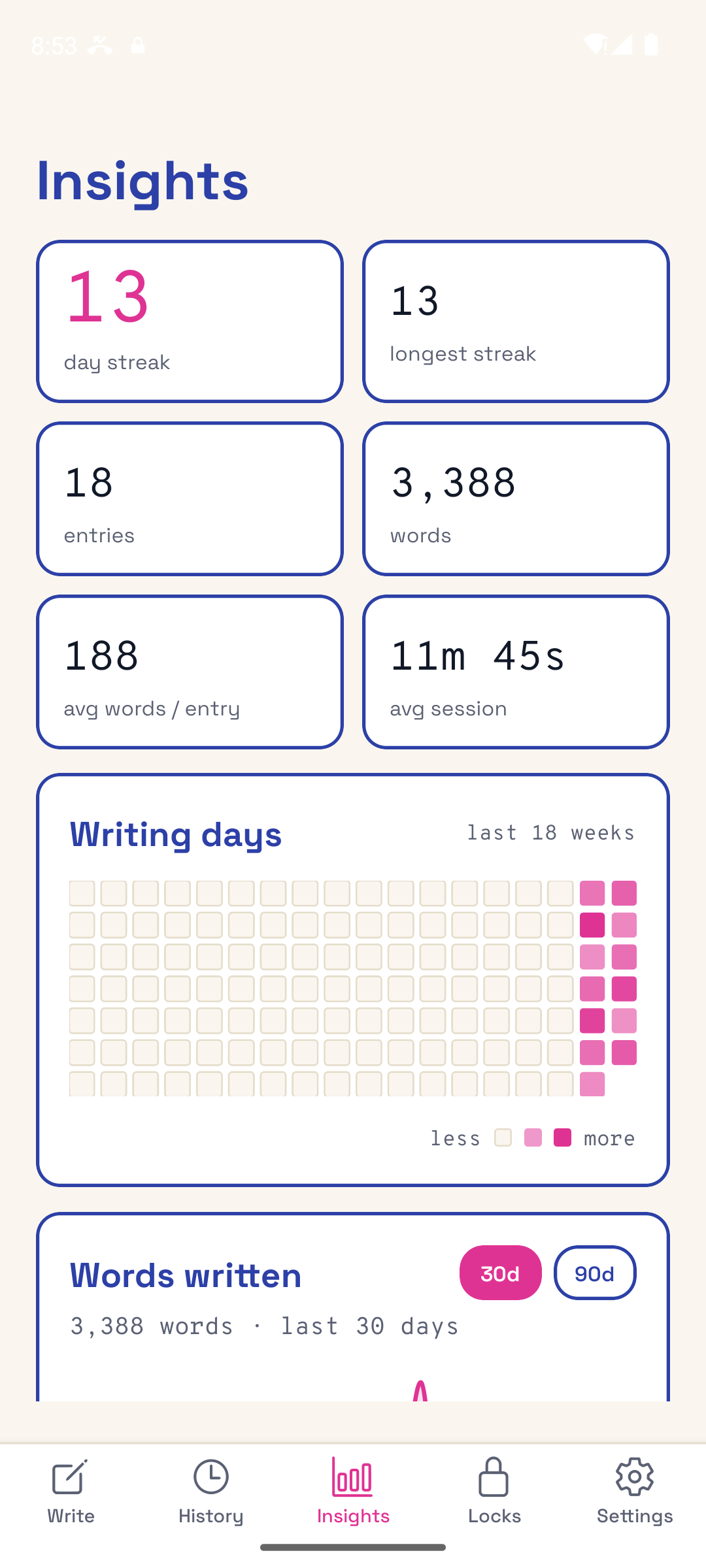
Watch your streak come alive, with entries, words, and a 7-day view. Visible progress turns a daily nudge into a real writing practice.
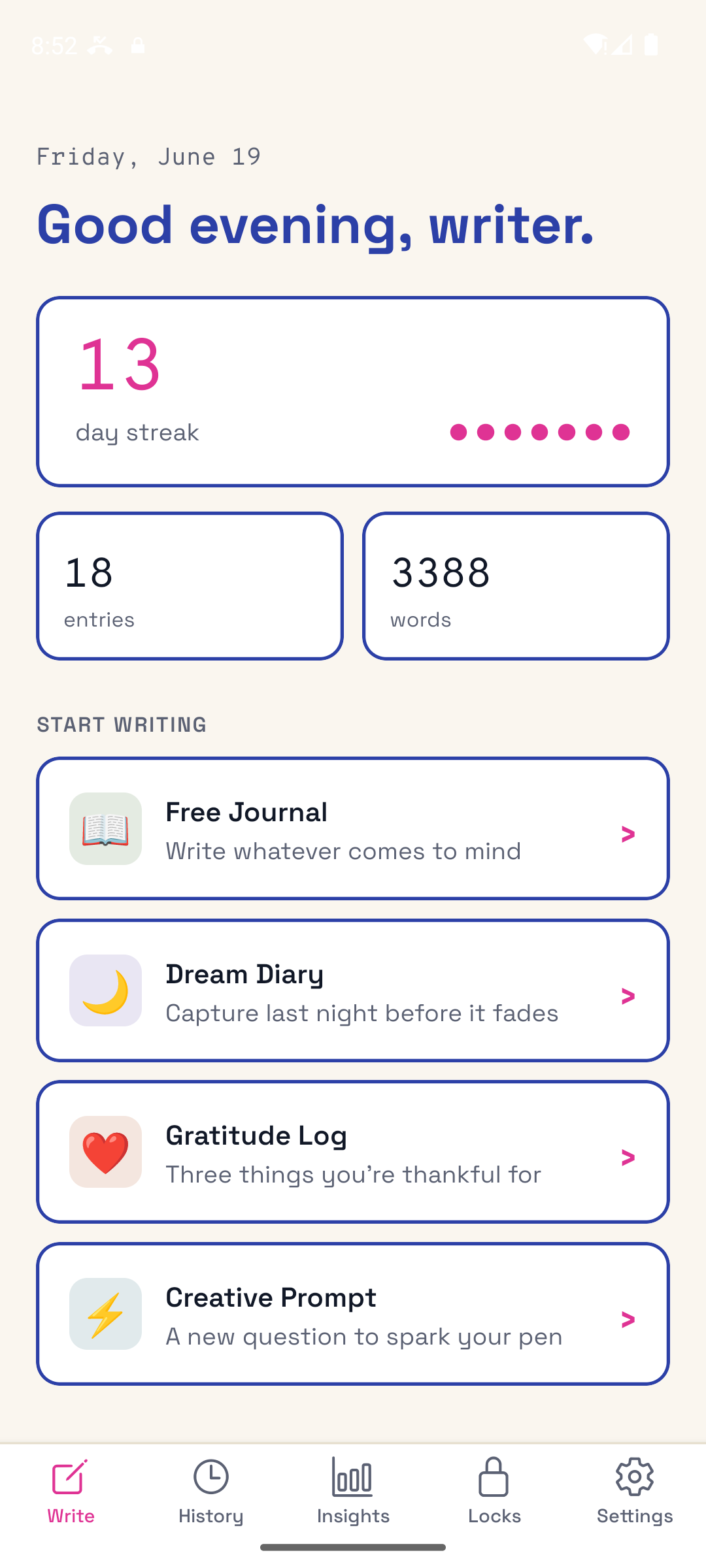
Free journal, gratitude log, dream log, and guided prompts, plus brain dumps, work logs, and shadow work, prayer, reading, travel, and baby journals. Each style starts you with its own prompt, so there's something to write even on the days you don't feel like it. Want a taste first? Try the free writing prompt generator.
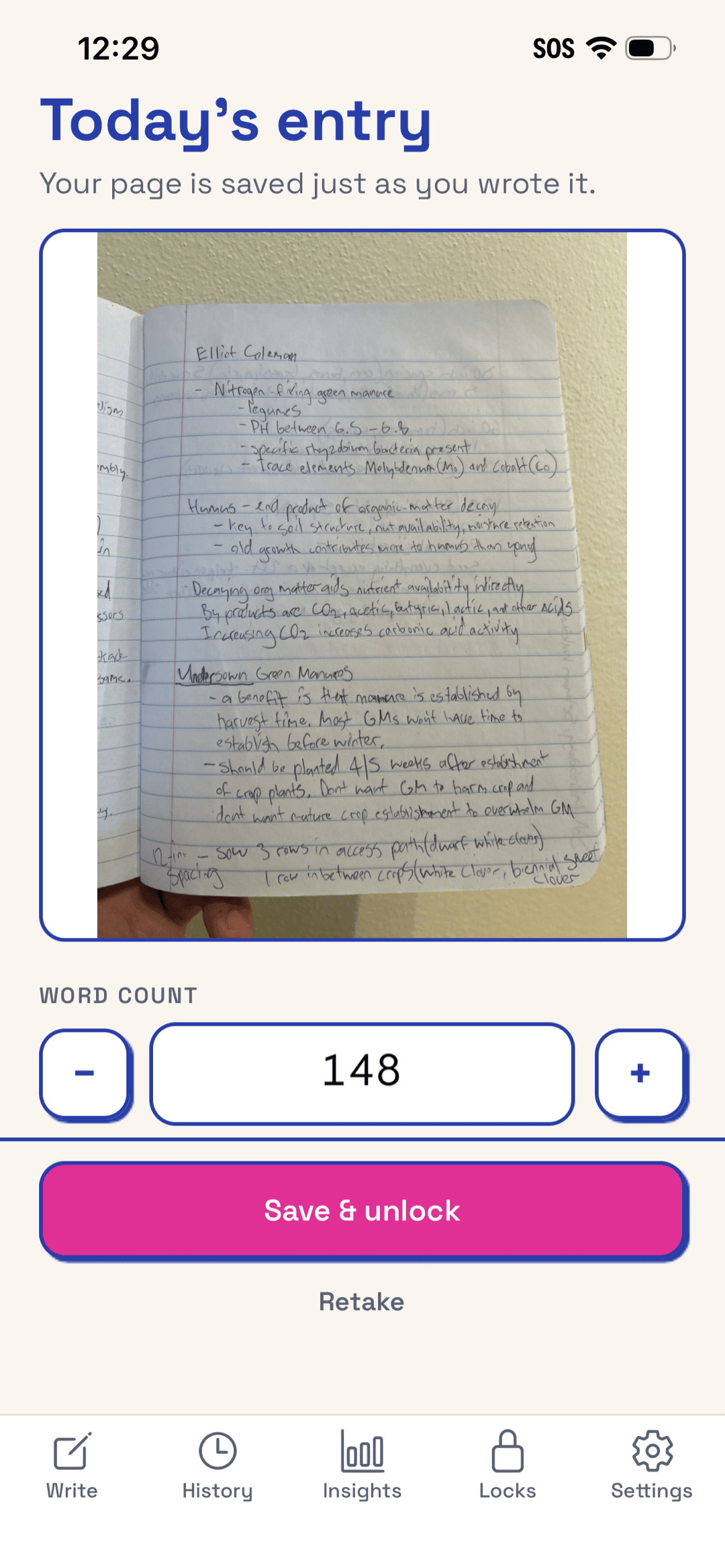
Prefer a real notebook? Photograph your handwritten page and WritersLock reads it right on your phone to unlock your apps. The photo is your entry, and nothing ever leaves your device.
It's not about willpower. It's about practice.
WritersLock gives you the structure for the days you don't feel like writing, so showing up stops being a battle.
Questions
Yes. Your entry content never leaves your device. We only ever see anonymous metadata like word count, duration, streak, and which mode you used. We never read or track your screen content. See our Privacy Policy for the details.
You choose which apps to block and when. During your writing times, those apps stay locked until you finish today's entry. Then they unlock for the rest of the day and reset tomorrow.
WritersLock works on iPhone (using Apple Screen Time) and Android (using usage access). On both platforms, your app choices stay private to your device.
WritersLock is a subscription with a 3-day free trial. No payment is due up front, and you can cancel anytime. Annual works out to a few dollars a month; monthly is also available.
Yes. Turn on vacation mode and the locks pause. WritersLock is about small, repeatable wins, not punishment.
From the blog
Guides on building a writing habit that sticks, and beating the scroll that gets in its way.
Why your brain craves doomscrolling, and 9 research-backed tactics that actually break the habit.
A no-pressure guide to starting a journal, with prompts, daily habits, and tips that survive past week one.
Beat the blank page with 200+ prompts sorted by mood and goal. Pick one and start.
Ready?
A writing habit that sticks, starting with tomorrow morning.